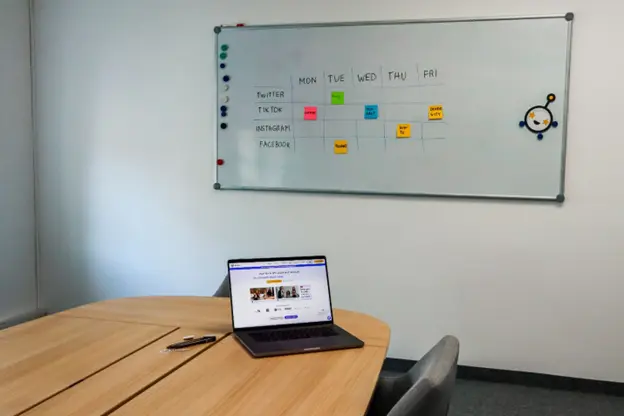
An Instagram content calendar is the single most effective way to turn chaotic, last‑minute posting into a consistent, strategic growth engine. The right tool helps you plan campaigns, visualize your grid, schedule Reels/Stories/feed posts, collaborate with your team, and track what actually moves the needle.
Below, you’ll find a practical, SEO‑rich guide that combines the best ideas from leading resources into one actionable article: what an Instagram content calendar is, why it matters, the exact fields you should track, how to build one step by step, and the 7 best Instagram content calendar tools for 2026—with real use cases, pros/cons, and pricing context. You’ll also see how a platform like ChatiOne can implement many of these best practices for websites and Instagram without turning this into a sales pitch.
What is an Instagram content calendar (and why you need one)
An Instagram content calendar is a planning system that maps out what you’ll post, when, and where—across Feed, Reels, and Stories—along with captions, assets, hashtags, CTAs, and status. It’s more than a schedule; it’s your strategic blueprint for consistency, campaign alignment, and performance tracking.
Why Instagram calendars are non‑negotiable in 2026
Instagram content calendar vs. general content calendar

A social/Instagram calendar focuses on platform‑specific execution (captions, Reels/Stories, hashtags, publishing times). A broader content calendar covers blogs, emails, videos, webinars, and social in one high‑level view. For Instagram growth, you need both layers: a high‑level editorial plan and a platform‑specific calendar that respects Instagram’s three “lifespans” (Stories ≈ 1 day, Reels ≈ weeks, Feed/Grid ≈ portfolio for new visitors).
The 7 must‑have fields in your Instagram content calendar
At minimum, your calendar should include these columns/fields so you can move from idea to published post without missing details.
Nice‑to‑have fields: campaign name, content pillar, owner, first comment text, link in bio target, and performance notes after publishing.
How to build an Instagram content calendar in 8 practical steps
Use this workflow whether you’re a solo creator, a small business, or an agency.
1) Set clear Instagram goals
Define what success looks like: brand awareness, profile visits, DMs, link clicks, saves, or sales. Make goals SMART so your calendar has a clear north star.
2) Audit your existing content
Identify top posts by reach, saves, shares, and profile visits. Note formats (Reels vs. carousels), hooks, and posting times that worked.
3) Define content pillars and formats
Pick 3–5 pillars (e.g., Education, Behind‑the‑scenes, Social proof, Offers, Community). Then decide repeatable Reel formats and carousel structures you can produce in batches.
4) Map your month by “claim,” not just by date
Plan the narrative arc: what your profile is arguing this month and how each post supports it. This prevents a full calendar but a flat follower count caused by unrelated posts.
5) Choose your calendar tool and views
Select a tool that matches your workflow: visual grid preview, scheduling, approvals, or all‑in‑one. Use calendar, Kanban, and list views to see both timeline and workflow.
6) Batch‑create assets and captions
Write captions in your brand voice, design carousels in Canva, edit Reels in CapCut, and store assets in a media library. Batch creation saves time and keeps quality consistent.
7) Schedule strategically (and test times)
Use optimal posting times from analytics, and test different slots for Reels vs. carousels. Schedule first comments and hashtag sets where supported.
8) Track, learn, and recycle winners
After publishing, log performance (reach, saves, shares, profile visits). Mark “evergreen gold” posts and re‑use them with updated captions/visuals every 4–6 weeks.
7 best Instagram content calendar tools for 2026
This list blends the strongest recommendations from multiple expert roundups, focusing on Instagram‑specific needs: grid preview, Reels/Stories support, scheduling, collaboration, and analytics.
1) Later — Best for visual grid planning and Instagram‑first scheduling
Why it’s great: Later’s visual planner shows your next nine grid posts exactly as they’ll appear, which is critical for brands where the profile converts visitors into followers. It supports Reels, Stories, carousels, and offers AI caption help and hashtag suggestions.
Best for: E‑commerce, creators, and visual brands that care about grid aesthetics and Instagram‑native workflows.
Key features:
Considerations: Advanced collaboration and some analytics are on higher tiers; lower plans have post limits.
Pricing shape: Free plan available; paid plans scale by profiles/users (starter around mid‑range monthly).
2) Metricool — Best for scheduling + analytics in one place
Why it’s great: Metricool covers Feed, Reels, and Stories with solid scheduling plus analytics that are genuinely useful for reporting (including competitor tracking). It’s ideal if you want one subscription for both queue and insights.
Best for: Creators and agencies managing multiple accounts who need clear reporting without paying for two tools.
Key features:
Considerations: No true grid preview; it starts once content exists (not a planning‑layer tool).
3) Meta Business Suite — Best free, native option
Why it’s great: It’s free, native, and supports Feed, Reels, and Stories scheduling with the most complete Insights available (since it’s directly from Meta). Many creators pay for a scheduler before realizing the native tool covers their needs.
Best for: Solo creators and small businesses that want a zero‑cost, official scheduler with full Insights.
Key features:
Considerations: Interface can feel clunky; no multi‑platform view; reliability can vary.
4) Canva Content Planner — Best if you design in Canva and want design‑to‑schedule flow

Why it’s great: Canva’s Content Planner lets you design posts and carousels, then schedule them without leaving the app—perfect for teams that already live in Canva. It’s a seamless creation‑to‑publish pipeline for visual content.
Best for: Small teams, freelancers, and creators who make most assets in Canva and want simple scheduling plus basic insights.
Key features:
Considerations: Analytics and workflow features are lighter than dedicated social suites; less ideal for complex editorial workflows.
5) Airtable (with social media calendar templates) — Best for fully customizable workflows
Why it’s great: Airtable is a flexible database that lets you build a bespoke content command center with custom fields (SEO keywords, personas, budgets) and multiple views (calendar, Kanban, gallery). It’s perfect when off‑the‑shelf tools feel too rigid.
Best for: Marketing teams and agencies that need a tailored planning/approval system and want to connect content to broader operations.
Key features:
Considerations: Requires setup time; no native auto‑publishing (pair with a scheduler).
Pricing shape: Generous free plan; paid plans scale by seats/records.
6) Asana (Social Media Calendar template) — Best for integrating social planning into broader marketing projects
Why it’s great: Asana’s social media calendar template lets you plan, assign, and approve content while keeping social tasks connected to campaigns, blogs, and launches. It’s ideal when social is one piece of a larger marketing engine.
Best for: Teams already using Asana for project management who want social planning in the same system.
Key features:
Considerations: No native auto‑publishing; best paired with a scheduling tool.
Pricing shape: Free plan available; paid plans add advanced features.
7) Trello (Calendar view + editorial board) — Best for simple, visual editorial planning
Why it’s great: Trello’s card‑based boards are perfect for lightweight editorial planning: Ideas → In Progress → Approved → Scheduled → Published. The Calendar View (Premium) turns cards into a classic monthly/weekly calendar.
Best for: Freelancers and small teams who want a simple, visual system to organize content before scheduling elsewhere.
Key features:
Considerations: Needs integrations/Power‑Ups for direct publishing; advanced views require Premium.
Pricing shape: Free plan available; Premium adds Calendar and advanced views at a low monthly cost.
How to choose the right Instagram calendar tool for your business
The “best” tool depends on your workflow, budget, and growth stage. Use these decision filters:
Practical Instagram calendar strategies you can implement today
These tactics are repeatedly recommended by experts and work across tools.
How ChatiOne can help you execute an Instagram content calendar (without the fluff)
ChatiOne is built for businesses that want practical, results‑oriented workflows for websites and Instagram. While this article isn’t a sales pitch, here’s how a platform like ChatiOne can implement the best practices above in a way that feels native to your operations:
If you already use ChatiOne for website chat and Instagram DMs, extending those workflows into a simple content calendar can make your entire social engine more predictable and measurable.
Common mistakes to avoid with Instagram content calendars
Quick FAQ: Instagram content calendar tools
Do third‑party schedulers hurt reach? There’s no credible evidence that official API schedulers reduce reach; post natively if it makes you feel better, but your problem is likely upstream (content/strategy), not the tool.
How far ahead should I plan? Plan campaigns and formats 1–2 months ahead; individual posts 1–2 weeks ahead; Stories not at all (keep them spontaneous).
Do I need a paid scheduler? Often no—Meta Business Suite is free and robust. Pay when you need grid preview, multi‑platform posting, or client reporting.
Are carousels still worth it? Yes—carousels reward depth, get saved, and signal quality; they’re a key format for education and storytelling.
Final takeaway

The best Instagram content calendar tool is the one that makes your strategy visible, your workflow simple, and your execution consistent. For visual brands, Later’s grid preview is unmatched; for scheduling + analytics, Metricool or Meta Business Suite are strong; for design‑first teams, Canva’s planner reduces friction; for custom workflows, Airtable/Asana/Trello give you structure. Pair the right tool with a clear monthly narrative, repeatable formats, and performance logging—and your Instagram growth will stop being luck and start being a system.
If you’re using ChatiOne for websites and Instagram, think of your content calendar as the command center that connects posts, DMs, and site conversions—so every piece of content has a clear job and a measurable outcome.