
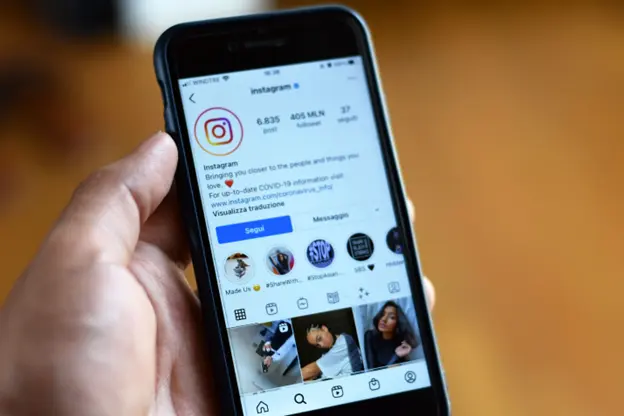
Creating scroll-stopping Instagram content in 2026 means your Reels and Stories need to hook viewers in the first few seconds. The right video editing apps give you AI captions, beat-syncing, multi-layer effects, and high-quality exports so your content stands out without the stress.
In this guide, you will find the best video editing apps for Instagram Reels and Stories, practical tips to level up your edits, and smart ways to use tools like ChatiOne to grow your reach on Instagram, Facebook Messenger, Telegram, and your website.
Why you need dedicated video editing apps for Instagram
Instagram’s built-in camera editor can handle basic trims and filters, but it does not give you the tools needed for advanced, attention-grabbing Reels and Stories. Reels are where real reach happens. They can appear in more feeds than static posts, but only if you hook viewers in the first few seconds.
Dedicated video editing apps give you features like AI captions, beat-syncing, multi-layer effects, and high-quality exports to make that happen. Most top apps now include AI capabilities from auto-captions to background removal to smart scene detection. They also prioritize the 9:16 vertical format for Reels and Stories and offer template libraries synced to trending audio so you can create faster.
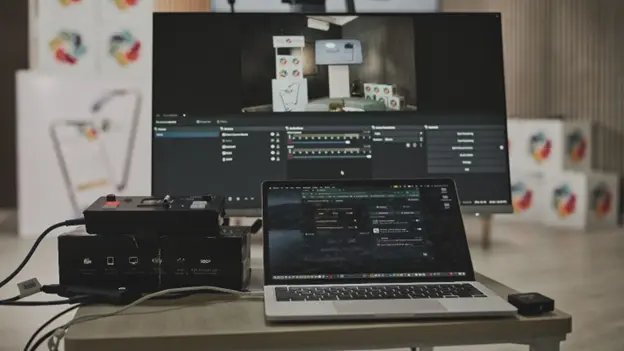
Top video editing apps for Instagram Reels and Stories
There is no single best Instagram video editor in 2026. The right pick depends on your workflow, your skill level, and whether you post only to Instagram or across multiple platforms. Below are the top picks that consistently deliver strong results for Reels and Stories.
Edits by Instagram (iOS and Android)
Edits is Instagram’s own video editing app launched in 2025, and it is quickly becoming the go-to tool for creators in 2026. Built specifically for the content creator workflow, Edits combines idea tracking, video planning, advanced editing, and actionable insights.
Key highlights include direct publishing to Instagram and Facebook, 4K export with no watermark, timeline precision editing, AI effects and auto-captions, and shareable analytics PDFs for brands. Recent 2026 updates added AI-powered effects for specific objects, color correction tools, custom caption animations, keyframes for opacity control, voice recording with countdown and retake features, adjustment layers, safe zones and snap-to-edge features, volume ducking and 150 percent volume boost, and the ability to send drafts to collaborators.
Edits is 100 percent free for now and best for Instagram-first creators and brands who want an integrated, analytics-driven experience. Using Edits will help your reach on Instagram a little bit, according to Adam Mosseri, Instagram’s head, and the workflow efficiency and integrated analytics make it invaluable for Instagram-first creators.
Pros include completely free professional features, 4K export with no watermark, direct Instagram integration and publishing, constant feature updates, a smoother interface than CapCut and InShot, advanced analytics within the app, AI-powered content suggestions, no app-switching for Instagram creators, professional editing tools like keyframes and precision cuts, and extensive sound and effect libraries. Cons include no pre-built templates available unlike CapCut, it requires an Instagram account to use, a 10-minute video length limit, you cannot overlap effects, text, or stickers, some playback and stability issues reported, AI animation can appear blurry or low-res, keyframing is still limited and being rolled out, it is best suited for Instagram and less for multi-platform use, and it is missing reverse clip and some filters and transitions.
CapCut
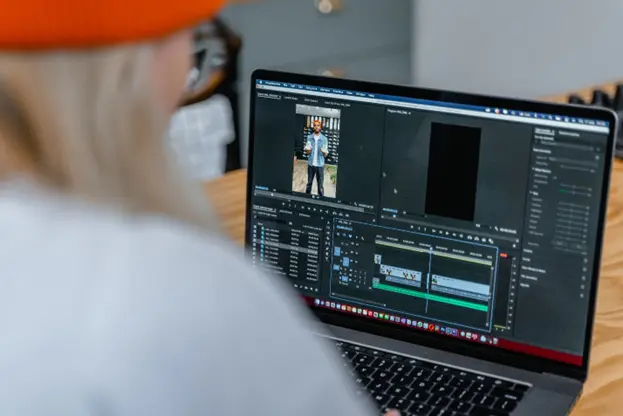
CapCut has exploded in popularity and remains the top choice for video editing apps for Instagram Stories and Reels in 2026. Developed by ByteDance, TikTok’s parent company, CapCut offers an impressive suite of AI-powered tools that make creating viral-worthy content incredibly easy.
2026 updates include enhanced AI features with auto-captions in 130 plus languages, AI background removal with one tap, beat-sync effects that automatically match your cuts to music, smart object tracking for dynamic content, and script-to-video generation. The free version is surprisingly robust with basic editing tools, filters, transitions, and 1080p export. The Pro version costs 7.99 to 19.99 dollars per month depending on region and adds 4K export capability, no watermarks on premium templates, advanced AI tools, and cloud storage options.
CapCut is best for TikTok and Instagram Reels creators, beginners wanting powerful AI tools, and anyone making short-form social content. It is available on iOS, Android, Windows, Mac, and web browser.
Pros include an extensive template library synced to trending sounds, a user-friendly interface perfect for beginners, cross-device editing with cloud sync on Pro, fast export speeds, and no watermark on the free version for most features. Cons include some advanced AI features requiring a Pro subscription and free cloud storage being removed as of 2024.
InShot
InShot remains one of the most downloaded video editing apps for Instagram with millions of positive reviews. Built specifically for social media, it is an ideal choice for editing Instagram Reels and Stories on the go.
2026 features include AI-assisted background removal, beat-sync effects, smart sky replacement, smooth text animations, auto-generated captions, and support for all Instagram aspect ratios like 1:1, 4:5, and 9:16. The free version has basic features with a watermark on some templates. The Pro version costs 4.99 dollars per month, 19.99 dollars per year, or around 49.99 dollars lifetime as a one-time purchase.
InShot is best for influencers, solo creators, and small businesses needing quick mobile edits. It is available on iOS and Android.
Pros include an extremely beginner-friendly interface, fast exports optimized for Instagram, continuous updates with new features, a comprehensive editing toolkit with trim, split, merge, and speed control, and the ability to add music, emojis, stickers, and text overlays. Cons include a watermark on the free version, fewer precision tools compared to desktop software, and some features requiring in-app purchases.
VN Video Editor
VN is a powerful free video editor that rivals paid apps in functionality, making it one of the best video editing apps for Instagram Reels for budget-conscious creators.
Key features include a multi-layer timeline, keyframe animations, chroma key for green screen, curve speed adjustments, professional transitions, and no watermark even on the free version. It is completely free with no watermark.
VN is best for advanced mobile editors and creators on a budget who need professional tools. It is available on iOS and Android.
Pros include powerful features entirely free, no watermark, multi-track editing, professional-grade tools, and regular updates. Cons include a steeper learning curve and an interface that can feel overwhelming for beginners, and fewer templates than competitors.
Filmora (FilmoraGo)
Filmora offers a perfect balance between power and ease of use, making it one of the best video editing software for Instagram Reels for creators who want more control without the complexity of professional tools.
2026 enhancements include beat detection technology, auto-speed adjustments, smart transitions, AI Cutout tool for background removal, 1GB cloud storage for cross-device editing, and a drag-and-drop interface. The Basic Plan costs 9.99 dollars per month and the Advanced Plan costs 34.99 dollars per year, with a 7-day free trial available on all plans.
Filmora is best for mobile-first businesses, brand managers, and content creators wanting polished short videos. It is available on iOS, Android, Windows, and Mac.
Pros include a simple and intuitive interface, an extensive template library, AI tool integration, fast rendering, no watermark on the paid version, and professional-quality transitions and effects. Cons include being more expensive than competitors and cloud storage being limited on lower tiers.
Splice
Splice, developed by GoPro, remains an excellent choice for video editing apps for Instagram Stories, especially for creators who shoot action footage or need precise speed control.
Key features include advanced speed control and slow-motion effects, professional transitions, multiple video tracks, an audio library with sound effects, direct Instagram sharing, and vertical format support for Reels and Stories. It is free with all core features and has in-app purchases for premium templates and effects.
Splice is best for action content creators, GoPro users, and anyone needing advanced speed ramping. It is available on iOS and Android with the Quik app for Android.
Pros include a robust free version, excellent speed control features, professional-looking results, no steep learning curve, and strong audio editing capabilities. Cons include some advanced features behind a paywall and fewer AI-powered tools than competitors.
Descript
Descript brings a unique approach to video editing that is perfect for talk-heavy content, interviews, and educational Reels.
2026 standout features include editing video by editing text, automatic transcription and captions, AI voice cloning with Overdub, studio-quality audio cleanup, automatic removal of filler words, and built-in screen recording. The free plan has limited features and paid plans start around 12 to 15 dollars per month.
Descript is best for podcasters, educators, interview-style content creators, and anyone working with dialogue-heavy videos. It is available on web, Mac, and Windows with no dedicated mobile app.
Pros include unique text-based editing that saves enormous time, excellent auto-captioning, professional audio tools, voice cloning capabilities, and collaboration features. Cons include no mobile app, a higher learning curve for traditional video editors, and being best suited for specific content types.
Mojo
Mojo specializes in creating eye-catching animated Instagram Stories and Reels with professionally designed templates.
Key features include 100 plus animated templates optimized for Stories, automatic text animations, music synchronization, customizable branding, and direct Instagram Stories export. The free version has basic templates and the Pro version requires payment to access the professional template library.
Mojo is best for Story-focused creators and brands maintaining a consistent visual identity. It is available on iOS with a beta for Android.
Pros include an incredibly intuitive interface, beautiful and professional templates, time-saving for regular Story creators, and default export to Instagram Stories format. Cons include the best templates requiring a Pro subscription, being limited compared to full video editors, and the Android version still being in beta.
Canva
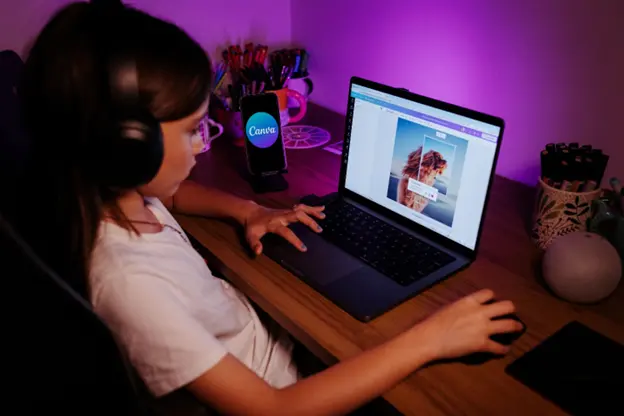
Canva has evolved beyond static graphics to become a comprehensive video editing app for Instagram Reels and Stories, especially for creators who need both photo and video editing capabilities.
2026 video features include thousands of video templates for Reels and Stories, drag-and-drop video editing, a brand kit for consistent styling, a stock video and music library, text animations and transitions, and Magic Resize for multiple formats. The free version has basic features and Canva Pro costs approximately 13 to 15 dollars per month with full features.
Canva is best for beginners, small businesses, and creators who also need graphic design tools. It is available on web, iOS, and Android.
Pros include being extremely user-friendly, a vast template library, working for both photos and videos, being excellent for maintaining brand consistency, and collaboration features for teams. Cons include being less powerful than dedicated video editors, feeling limiting for complex edits, and requiring a subscription for the best features.
Quik by GoPro
Quik, also by GoPro, focuses on speed and automation, perfect for creators who need to produce content quickly.
2026 features include 23 themes on Android and 26 themes on iOS, automatic video assembly, beat-detection sync, customizable soundtrack selection, photo and video integration, and multiple export formats. It is free with core features and the premium version costs 9.99 dollars per month for advanced features.
Quik is best for creators with lots of footage who want automatic editing and businesses needing quick turnaround content. It is available on iOS and Android.
Pros include an incredibly fast workflow, smart automatic editing, a large theme selection, good integration with GoPro Plus, and being easy to use. Cons include less manual control, premium features requiring a subscription, and may not suit creators wanting precise editing.
How to choose the right video editing app for Instagram
When selecting from these video editing apps for Instagram Reels and Stories, consider your skill level, your budget, and your specific needs.
For beginners, CapCut and Edits are the best overall free options with AI features, InShot offers simple and intuitive mobile editing, and Canva is an all-in-one design and video tool.
For advanced creators, Filmora provides professional features at a reasonable price, VN Video Editor offers advanced tools completely free, and Descript is ideal for text-based editing for dialogue content.
For specific needs, use Descript for talk content, Mojo for animated Stories, and Splice or Quik for action content.
For budget-conscious creators, VN Video Editor is free with no watermark, CapCut Free offers robust features at no cost, and Edits is completely free.
2026 trends in Instagram video editing
AI-powered features are now standard in almost every top video editing software for Instagram Reels, from auto-captions to background removal to smart scene detection. Cross-platform editing with cloud-based workflows allows creators to start editing on mobile and finish on desktop seamlessly.
Vertical-first design means all modern Instagram editing apps prioritize the 9:16 aspect ratio for Reels and Stories. Template libraries with pre-made templates synced to trending audio make content creation faster than ever. Advanced audio tools like better audio editing, noise removal, and voice enhancement are now standard in 2026.
Practical tips to make your Reels and Stories stand out
Cutting on action for transitions is a fun and easy way to make your 15-second Reels stand out. To execute a transition flawlessly, you need to cut on the movement blur. For example, if you are doing the classic swipe movement, you want to cut your first video when your hands are moving up or down. When you film your second clip, do the same thing, and when you stitch it together, you will have a perfectly executed transition.
Cutting to the beat is a classic video editing formula that creates a rhythmic form of visuals. Our brains love patterns, and when you create one with the beat and your footage, it instantly makes your Reel more engaging. You do not need to cut on every beat, but aim to cut when switching scenes.
Adding text to the beat works the same way. Adding text to the beat makes your Reel more appealing and adds more context to what is shared in the audio. Cut the text to appear and disappear on the beat for a tutorial. It will keep viewers engaged, will not overwhelm them with information, and you will experience a higher retention rate.
Keep your export at 1080p, use high bitrate if the app allows it, and always check that the canvas is set to 9:16.
How ChatiOne fits into your Instagram growth stack
ChatiOne helps you turn great video content into real business results on Instagram, Facebook Messenger, Telegram, and your website. Instead of just posting Reels and hoping for the best, you can use ChatiOne to capture leads, answer questions, and guide viewers to your next step without leaving the chat.
Here are practical ways to use ChatiOne alongside your video editing workflow.
The goal is not to make your article salesy. The goal is to show you how tools like ChatiOne can make your video content work harder for your business. You create the Reel, you edit it with the best app for your workflow, and you let ChatiOne handle the conversations that turn views into leads and sales.
Quick app recommendations by creator type
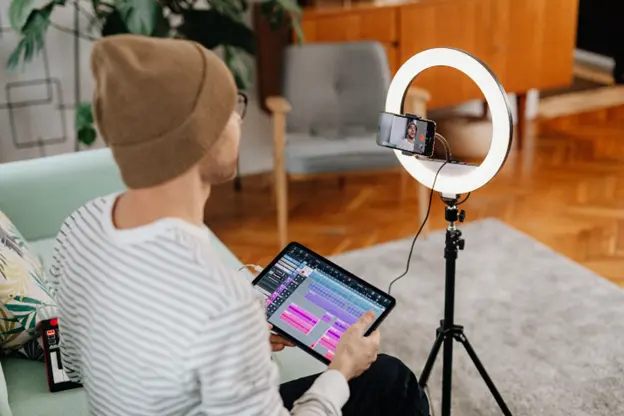
If you are an Instagram-only creator who wants performance data, start with Edits for its built-in insights dashboard. If you are a faceless or b-roll creator, Edits or CapCut are strong picks with great cutting tools and no need for avatars. If you are an on-camera creator or coach, Captions.ai is a specialist for eye contact, teleprompter, and one-tap captions. If you are a multi-platform creator on TikTok, YouTube, and Instagram, CapCut is ideal for cross-device projects and one login.
For phone-only casual posting, Instagram’s in-app editor is fine, but if you outgrow it, CapCut is the next step. For simple edits, pick InShot. For more control, VN or Kinemaster fits better. For aesthetic templates, Canva or Mojo works well. For advanced editing, go for LumaFusion. For something quick and built for Reels, CapCut or Edits gets the job done.
Final thoughts
The best Instagram video editor is the one that fits your workflow. Start simple, stay consistent, and grow with your content. Tools like Edits, CapCut, and VN help you do more with less friction.
Pick an app, shoot some footage, and let your creativity flow. Use ChatiOne to turn your best Reels and Stories into real conversations and real results on Instagram, Facebook Messenger, Telegram, and your website.
FAQ
What is the best free video editing app for Instagram Reels?
CapCut and Edits offer the most comprehensive free features in 2026, including AI tools, templates, and 1080p export without watermarks. VN Video Editor is also completely free with no watermark and professional-grade tools.
Can I edit Instagram Reels without watermarks for free?
Yes. VN Video Editor, CapCut for most features, and Edits offer free editing without watermarks.
What video editing app do professional Instagram creators use?
Professional creators often use a combination. They use CapCut or InShot for mobile quick edits, and Filmora or desktop software like Adobe Premiere Pro for more complex projects. Some also use Descript for dialogue-heavy content and Mojo for animated Stories.
Do I need a paid app to create viral Instagram Reels?
No. Many viral Reels are created with free apps like CapCut or Edits. Content quality and storytelling matter more than expensive software.
Which app is best for beginners?
InShot is the strongest pick for fast, beginner-friendly edits. CapCut and Edits are also great for beginners who want powerful AI tools and a smooth workflow.
Which app is best for advanced editing?
LumaFusion is hands down the most professional video editing app out there and mimics desktop video editing software like Adobe Premiere Pro and Final Cut Pro. VN Video Editor and Filmora also offer advanced tools for creators who want more control.
Which app is best for animated Stories?
Mojo specializes in creating eye-catching animated Instagram Stories with professionally designed templates. Canva also offers thousands of video templates for Stories with text animations and transitions.
Which app is best for talk-heavy content?
Descript is perfect for talk-heavy content, interviews, and educational Reels with its unique text-based editing workflow and excellent auto-captioning.
Which app is best for action content?
Splice and Quik by GoPro are excellent for action content creators who need advanced speed control, slow-motion effects, and automatic video assembly.
Which app is best for brand consistency?
Canva is excellent for maintaining brand consistency with its brand kit, thousands of video templates, and drag-and-drop video editing. Mojo also offers customizable branding for Stories and Reels.
Which app is best for cross-platform creators?
CapCut is the power tool if you work across platforms like TikTok, YouTube, and Instagram, with cross-device projects and one login. Filmora also offers cross-device editing with cloud storage.
Which app is best for Instagram-only creators?
Edits is the safest free pick if you post only to Instagram, with native Reels integration, built-in performance insights, and no watermark.
Which app is best for budget-conscious creators?
VN Video Editor is completely free with no watermark and professional-grade tools. CapCut Free offers robust features at no cost, and Edits is 100 percent free for now.
How can ChatiOne help me grow with my video content?
ChatiOne helps you capture leads, answer questions, and guide viewers to your next step on Instagram, Facebook Messenger, Telegram, and your website. You can add clear calls to action in your Reels and Stories, use ChatiOne on your website for quick chat options, set up Telegram bots for exclusive content, collect FAQs from chat conversations for new Reel ideas, and automate follow-up messages to convert views into leads and sales.